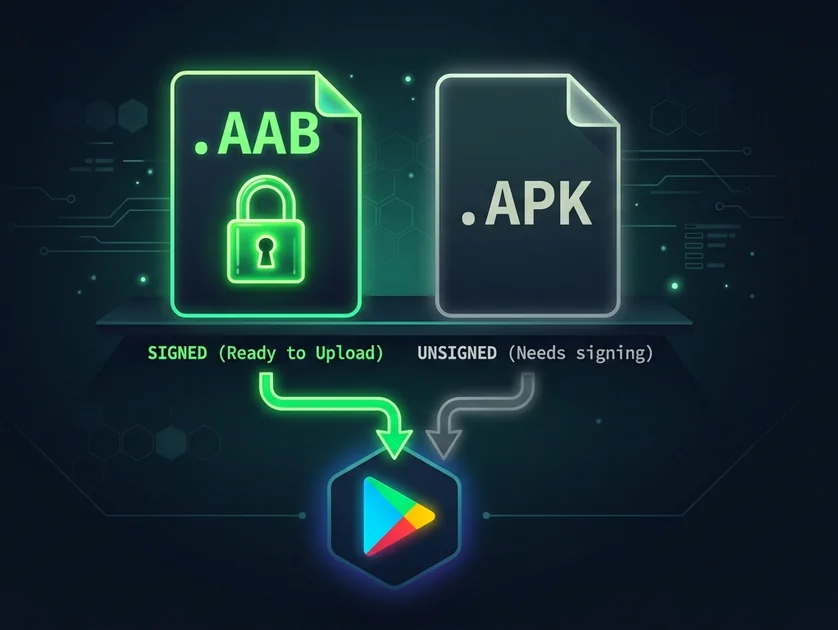
When you convert a website to an Android app, you face one fundamental choice: Trusted Web Activity (TWA) or Capacitor. Both produce a signed Android App Bundle that passes the Play Store. Both wrap your live URL. The difference determines whether your app gets published or rejected — and how much native functionality it unlocks.
Here's the complete breakdown.
What is TWA (Trusted Web Activity)?
Trusted Web Activity is Google's official method for shipping a Progressive Web App as a native Android app. Introduced in 2019, it wraps your PWA using Chrome's rendering engine — which means zero extra code, no custom WebView, and an app size of roughly 800 KB.
The key requirement: your website must be a full PWA — HTTPS + web manifest + a registered service worker that passes Google's Lighthouse minimum functionality check. Additionally, you must host a Digital Asset Links file at /.well-known/assetlinks.json to verify domain ownership and remove the Chrome URL bar from the app.
TWA requirements
- ✓HTTPS on custom domain
- ✓Web app manifest (name, icons, theme_color)
- ✓Service worker with fetch handler
- ✓assetlinks.json at /.well-known/
- ✓Lighthouse PWA score passing
What is Capacitor?
Capacitor is Ionic's open-source native runtime that wraps any HTTPS URL in a native Android WebView — without requiring a service worker or PWA manifest. It compiles to a standard Android project and produces a fully signed .aab + .apk.
App size is larger (~4 MB vs TWA's 800 KB) because Capacitor includes its own WebView runtime. But the trade-off is maximum compatibility: WordPress, Wix, Squarespace, Webflow, Bubble — any HTTPS URL works without modification. No service worker. No assetlinks.json.
Capacitor requirements
- ✓HTTPS on custom domain
- ✓That's it — no service worker, no manifest required
Side-by-side comparison
| Criteria | TWA | Capacitor |
|---|---|---|
| App size | ~800 KB | ~4 MB |
| Service worker required | Yes (mandatory) | No |
| assetlinks.json required | Yes | No |
| Any HTTPS URL | No (needs PWA) | ✅ Yes |
| Works with Wix / Squarespace | Often not | ✅ Yes |
| Works with WordPress (no plugin) | No | ✅ Yes |
| Works with Lovable / Bubble / Webflow PWA | ✅ Yes | ✅ Yes |
| Google Play compliance | ✅ Yes | ✅ Yes |
| Push notifications (FCM) | ✅ Yes (via web push) | ✅ Yes (native plugins) |
| Offline support | Via service worker | Via service worker |
| Deep linking | Via Digital Asset Links | Via App Links |
| Chrome updates | Auto (uses device Chrome) | Bundled WebView |
| Rendering engine | Chrome (device) | Android WebView |
| SaasToStore detection | Auto (if PWA score OK) | Auto (fallback) |
When to use TWA
Use TWA when:
- Your website is a complete PWA — Lighthouse score passing, service worker registered, manifest present with icons and theme color
- App size matters — targeting markets with limited storage (emerging markets, budget devices)
- You're using Lovable, which generates a full PWA by default
- You want the smallest possible app footprint and Chrome's latest rendering
Check with SaasToStore's PWA checker — it runs a Lighthouse-equivalent audit and tells you in 10 seconds whether your site qualifies for TWA.
When to use Capacitor
Use Capacitor when:
- Your website has no service worker — WordPress without a PWA plugin, Wix, Squarespace, Webflow without custom SW
- You can't or don't want to modify the website
- You want maximum compatibility — any HTTPS URL, any platform, guaranteed to pass Play Store review
- You need native Capacitor plugins (camera, biometrics, Bluetooth, NFC)
- The app is for a niche audience where 4 MB vs 800 KB doesn't matter
The #1 rejection reason: TWA without a service worker
Google Play's policy 4.3 (Minimum Functionality) explicitly rejects apps that are "thin wrappers around a website." A TWA without a service worker is classified as a thin wrapper. The fix is simple: add a service worker to your website, or switch to Capacitor mode.
SaasToStore detects this automatically. If your PWA score is insufficient for TWA, it switches to Capacitor — which passes by construction.
How SaasToStore chooses between TWA and Capacitor
SaasToStore's PWA checker runs a Lighthouse-equivalent audit on your URL:
- HTTPS check — both modes require this
- Manifest check — name, icons (192px + 512px), theme_color, background_color
- Service worker check — fetch handler registered, responses cached
- Lighthouse PWA score — minimum passing grade for TWA submission
If all four pass → TWA build. If any fail → Capacitor build. You see the recommendation instantly. No manual configuration needed.
Check which mode your site needs
The PWA checker runs in 10 seconds — free, no account required.
Check my site →